

11 Best Excel Courses For Finance And Accounting In 2024

Are you looking to take your finance career to the next level?
Excel is one of the most powerful tools in any financial professional’s toolbox. With its ability to crunch numbers, create graphs and charts, and analyze data quickly and accurately, it can be a game-changer for anyone working in finance. That’s why I’ve compiled this list of my favorite Excel courses – so you can get up-to-date on all the latest features and techniques to help you succeed. These are the same courses I have trained my Fortune 100 finance teams with.
Learn how to use advanced formulas, build dynamic dashboards, automate tasks with macros, create pivot tables from scratch – plus much more! These courses cover everything from basic functions to complex analysis so you can become an Excel master quickly.
Check out my list now and find the perfect course for your needs!
Ready To Dive In?
Get My Favorite Course – The Excelerator By Miss Excel – Today!
Only $297 for lifetime access!
★★★★★
The Excelerator Course is perfect for beginner to intermediate-level Excel users. By the end of the course, you will be confidently utilizing lookup functions, building powerful pivot tables, and easily automating tasks.
We’re reader-supported. We may earn an affiliate commission when you buy through links on our site.
What Is The Best Excel Course For Finance And Accounting?
After testing over 40 courses with my finance team, here are my top picks for the best Excel courses for finance in 2024:
1) Miss Excel – The Excelerator Course
Best Overall Excel Course For Finance And Accounting
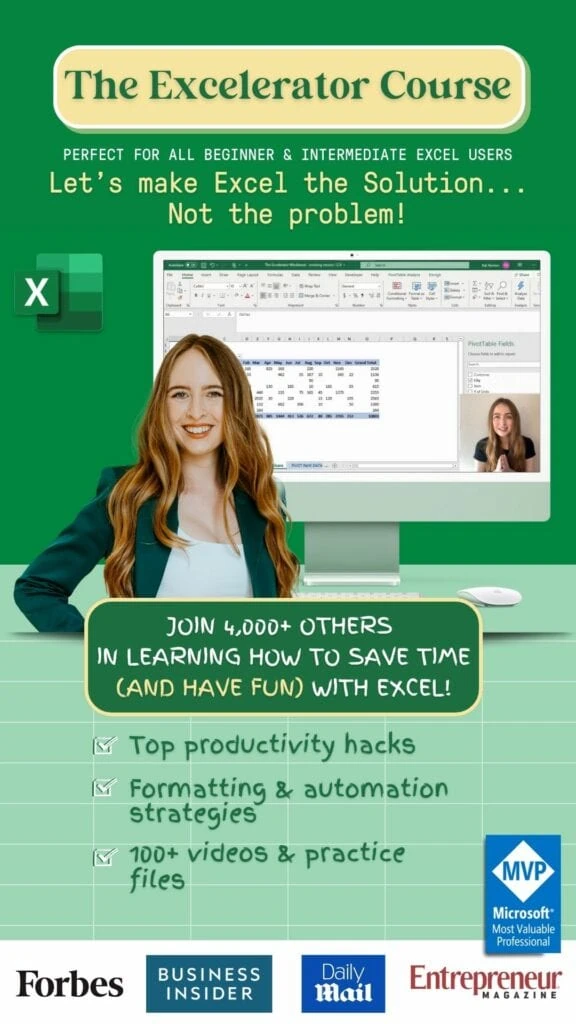
The Excelerator Course is perfect for beginner to intermediate-level Excel users (think the person who hasn’t passed the Home ribbon to the Data Ribbon dabbler who can make a basic pivot table). By the end of the course, you will be confidently utilizing lookup functions, building powerful pivot tables, and easily automating tasks.
You will also become shortcut-savvy and put that pesky mouse to rest!
The course is taught by influencer Kat Norton. Since launching Miss Excel in June 2020, she has grown a community of over 1,000,000 people on TikTok & Instagram (@miss.excel) through viral Excel trick videos infused with creativity, music, and dance.
My favorite part of the course is that its fun and engaging while covering all of the core topics you need for a finance and accounting career. I found the automation skills especially valuable.
Key Features:
- Over 100 training videos
- Over 50 practice files
- Library of Excel templates and practice guides
- Access to a private “Excelerator” Facebook group
What I Like:
I really like how engaging the course is. While I personally think Excel is a blast, that isn’t true for most (normal people). Miss Excel keeps the material light and down to earth, and time and time again, my finance teams say this is the fastest they have ever learned Excel skills.
Pricing:
$297 for lifetime access or $119 for 3-months
2) MyExcelOnline Academy
Best For Learning Every Feature Of Excel
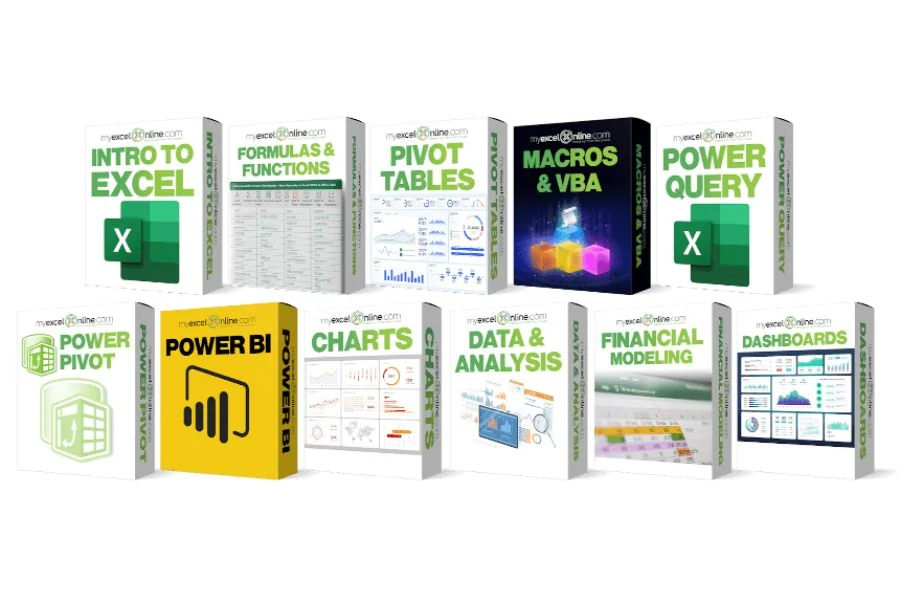
MyExcelOnline Academy has more content and resources than any other website I have found. It is the perfect place to start learning Excel from scratch.
MyExcelOnline Academy offers courses on essential Excel features like formulas, charts, graphs, and pivot tables. They also have an extensive library of lessons covering every feature of Microsoft Excel. The Academy also has a free course that introduces you to the fundamentals of Excel.
Key Features:
- 20+ Excel Beginners, Intermediate & Advanced courses covering ALL Excel features with 1,000+ video tutorials
- New Excel video tutorials and courses are added every month
- Downloadable practice workbooks
- Course completion certificates
What I Like:
This is the most in-depth training resource for Excel that I have found on the market. It goes well beyond the basics offering resources on every feature in Excel as well as popular Excel add-ins like Power BI. This is the course I recommend to my financial analysts when they want to expand their skill set and become advanced users.
Pricing:
$47 a month for ongoing access to all course materials
3) Udemy – Microsoft Excel From Beginner To Advanced
This Microsoft Excel course combines 4 different courses.
- Microsoft Excel 101 – An Introduction to Excel
- Microsoft Excel 102 – Intermediate Level Excel
- Microsoft Excel 103 – Advanced Level Excel
- Master Microsoft Excel Macros and VBA in 6 Simple Projects
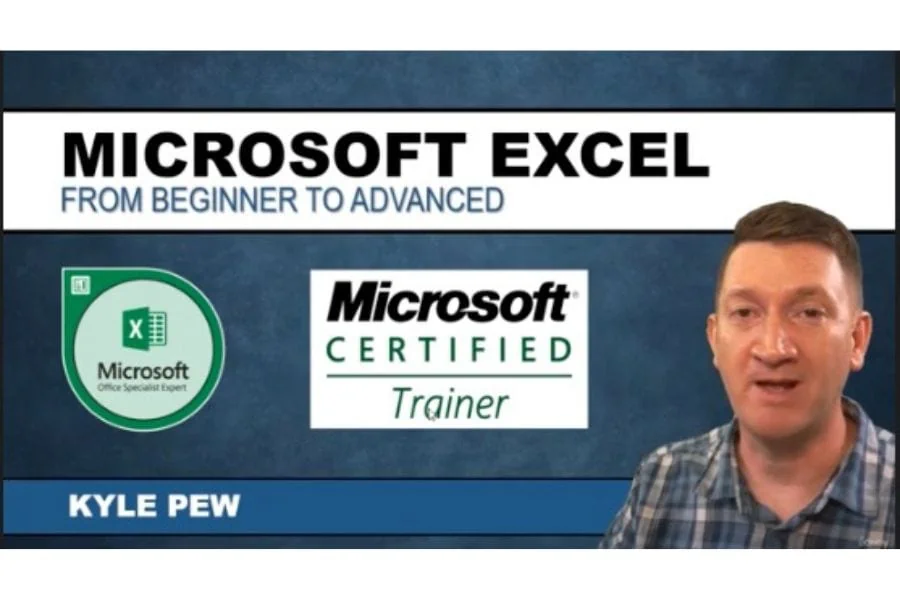
It is taught by a Microsoft Certified Trainer. As you participate in each of the 4 courses, you will master Excel tools that will clear away the pain of stumbling through your daily tasks. You will start with the basics, building a solid foundation that will give you further knowledge as you progress into intermediate and advanced-level topics.
I really like this course because it covers everything from the fundamentals to more complex topics such as macros and VBA. The instructor is knowledgeable and provides help through the course forums. A great resource for all finance professionals!
Key Features:
- 18+ Hours of Step by Step Video Lectures by a Microsoft Certified Trainer (MCT)
- Downloadable Exercise Files to follow along and practice with
- Additional Exercise Files are provided at the end of each major section (101, 102, 103, and VBA) that you can download and practice the skills you’ve learned
- Section Quizzes to Test Your Knowledge of the Lecture Topics
- QA board where you can post questions, and screenshots of your progress and communicate with the instructor and fellow students in the course.
Pricing:
$159.99 for lifetime access. Keep in mind that Udemy frequently runs sitewide sales. I have seen this course for as little as $29.99.
4) Wall Street Prep – Excel Crash Course
Best For Financial Services Professionals
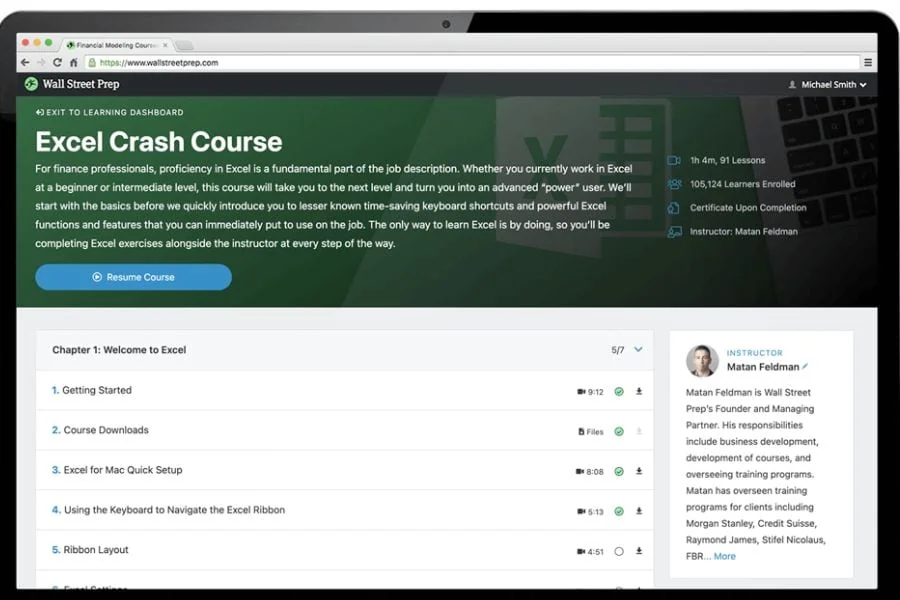
For finance professionals, proficiency in Excel is a fundamental part of the job description. Whether you describe yourself as a beginner or proficient in Excel, this Excel crash course will take you to the next level and turn you into an advanced “power” user.
Wall Street Prep is a leader in financial modeling training for financial services professionals. They are known for providing industry-leading courses that teach students the skills to create financial models in investment banking, private equity, and corporate development.
Key Features:
- 90+ videos with over 8 hours of instruction
- Downloadable practice workbooks
- Taught by financial industry experts
- Focused on the skills needed in financial services
Pricing:
$39 for lifetime access
Get Started With Wall Street Prep
5) LinkedIn Learning – Master Microsoft Excel
Best Training For Corporate Employees
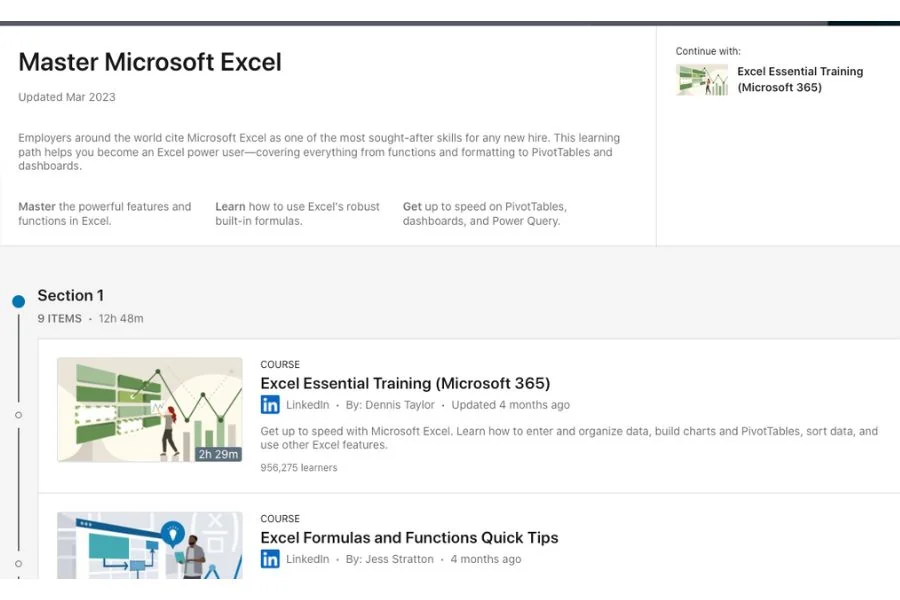
This isn’t just one course, it’s a LinkedIn Learning “Path” with 8 individual courses. This learning path helps you become an Excel power user—covering everything from functions and formatting to PivotTables and dashboards.
Key Features:
- Master the powerful features and functions of Excel
- Learn how to use Excel’s robust built-in formulas
- Become certified as a Microsoft Office Specialist (MOS) or MOS Expert
- 8 individual courses with over 26 hours of content
Pricing:
$19.99 a month for access to all LinkedIn Learning courses. Many employers offer free subscriptions for their employees, make sure to check with HR
6) Coursera – Excel Skills For Business Specialization
Best For Real-World Applications
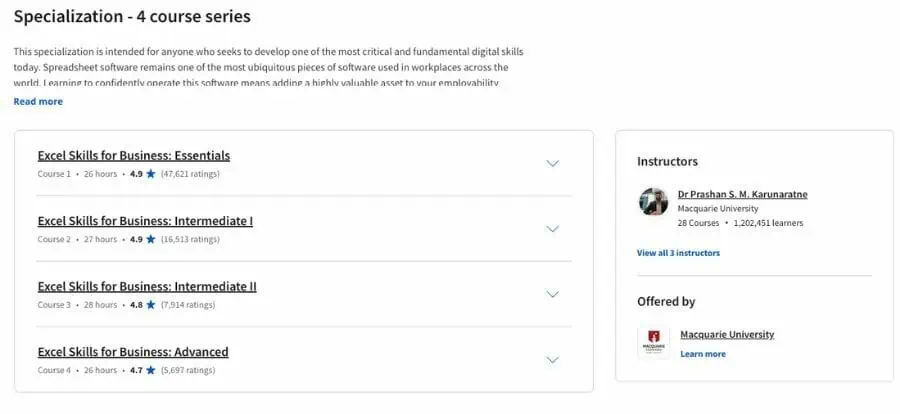
In this Specialization, learners develop advanced Excel Skills for Business. Upon completing the four courses in this Specialization, learners can design sophisticated spreadsheets, including professional dashboards, and perform complex calculations using advanced Excel features and techniques. Learners have acquired the skills to manage large datasets efficiently, extract meaningful information from datasets, present data and extract information effectively.
In addition, learners have mastered the skills needed to validate data and prevent errors in spreadsheets, create automation, apply advanced formulas and conditional logic to help make decisions and create spreadsheets for financial modeling.
Key Features:
- 4 courses taking you from beginner to advanced
- Hands-on applied learning project
- Earn a certificate upon completion
- Offered by Macquarie University
Pricing:
You can audit the course for free! If you want a certificate or want to complete the hands-on learning project, Coursera subscriptions start at $39.99 per month.
7) Rice – Introduction to Data Analysis For Excel
Best Online Training From An Accredited University
This course is designed to give you a working knowledge of Excel with the aim of getting to use it for more advanced topics in Business Statistics. The course is designed keeping in mind two kinds of learners – those who have very little functional knowledge of Excel and those who use Excel regularly and wish to enhance their skills.
The course takes you from basic operations such as reading data into excel using various data formats and organizing and manipulating data, to various advanced functionality of Excel. All along, Excel functionality is introduced using easy-to-understand examples which are demonstrated in a way that learners can become comfortable in understanding and applying them.
If you want to keep learning, this course is one part of the Rice University Business Statistics and Analysis Specialization.
Key Features:
- Self-paced, 4-week course
- Earn a certificate from Rice University
Pricing:
You can audit the course for free! If you want a certificate or want to complete the hands-on learning project, subscriptions start at $39.99 per month.
8) Chandoo – Excel School
Best For Learning VBA With Excel
Excel School is a structured and comprehensive online training program for learning Microsoft Excel. It is full of real-world examples.
VBA Class is a structured and comprehensive online training program for learning Microsoft Excel VBA (Macros). It is full of real-world examples & useful theories. The aim of VBA Classes is to make a beginner an expert in VBA.
Key Features:
- 6 modules of Adv. Excel Lessons
- 60 lesson videos
- 40+ example workbooks
- 1 year of online access
- Download HD-quality videos
- Formula cheat sheet
- Shortcuts poster
- 30-day money-back guarantee
Pricing:
$147 for 2-years of access to the VBA program. For $247 you can also add Excel, and for $347 you can add Dashboarding.
Get Started With Chandoo
9) Skillshare – Microsoft Excel Essentials
If you are a complete beginner looking to master Excel, or you just want to brush up on the basics, you’ve come to the right place. If you want to earn more money by developing a skill set that today’s employers demand, this course is for you!
Getting to grips with Excel will give you a distinct advantage in whatever work you currently do, and can open the door to new opportunities. In this course, we cover in detail all of the basic functions of Excel, and you will learn not only how to use it, but some powerful tools to allow you to understand how it works. There is a difference between repeating something and understanding it.
Key Features:
- Taught by industry leaders and working professionals
- Hands-on class projects with every course
- Lifetime access to over 4 hours of content.
- Over 50 bite-size lectures, each covering a specific topic in detail.
- Downloadable source files, and pdfs that you can take with you and quickly refer back to.
- Access to the forum, so if you have any questions, you can ask the instructor
Pricing:
$32 a month for access to all SkillShare Classes. There is a free one-month trial to test it out.
Get Started With Skillshare
10) New Skills Academy – The Complete Microsoft Excel Course
Best For Learning Office 365
Whether you are brand new to the world of Excel or you have training and knowledge of the software and are looking to improve your skills, this series of courses can help.
By the time you finish the beginner, intermediate, and advanced courses, you, too, will be an expert in Excel.
There is no time limit or deadline to complete the courses. You can access these courses from any mobile device, including tablets, computers, and mobiles, as long as you have access to the internet.
Since the lessons in this course are only a few minutes each, it makes it very convenient to stop and start when necessary. This helps you to study when you have time, even if you have less than 10 minutes or 15 minutes.
Key Features:
- Over 40 hours of content
- Approved by CPD
- Receive a certificate upon completion
- Self-paced study
Pricing:
180 GBP for lifetime access
Get Started With New Skills Academy
11) Microsoft – Excel Video Training
Best Free Training
This is a free training series offered by Microsoft, the maker of Excel. It covers all the basics as well as more advanced topics.
It includes 16 lessons, which are broken down into several 5-10 minute videos. Each video includes step-by-step instructions that help you learn the features of Excel quickly and easily.
Key Features:
- From the makers of Excel
- 16 video lessons
Pricing:
Free! Can’t beat that
What Are Excel Courses For Finance?
Excel courses for finance are specialized educational programs that teach the basics of Microsoft Excel to finance professionals. These courses focus on many aspects of Excel, including its functions, formulas, and data analysis capabilities. By taking an Excel course specifically tailored to the needs of financial professionals, you can become more efficient at using this powerful tool and understand how it can be used to analyze complex financial data.
Are Excel Courses Worth It?
Absolutely! It’s always worth investing in yourself and your career, and Excel courses are no exception. By taking a course designed specifically for Finance professionals, you can increase the value of your skillset and improve your efficiency with this powerful tool.
How Much Do Online Excel Courses For Finance Cost?
The cost of online Excel courses for finance can vary significantly depending on the provider and course length. Generally, you can expect to pay anywhere from $20 – $40 per month for access to a comprehensive course library or $100 to $200 for a structured course. Some providers may also offer free or discounted trial periods, so be sure to check those out first.
Have any questions? Are there other topics you would like us to cover? Leave a comment below and let us know! Make sure to subscribe to our Newsletter to receive exclusive financial news right to your inbox.